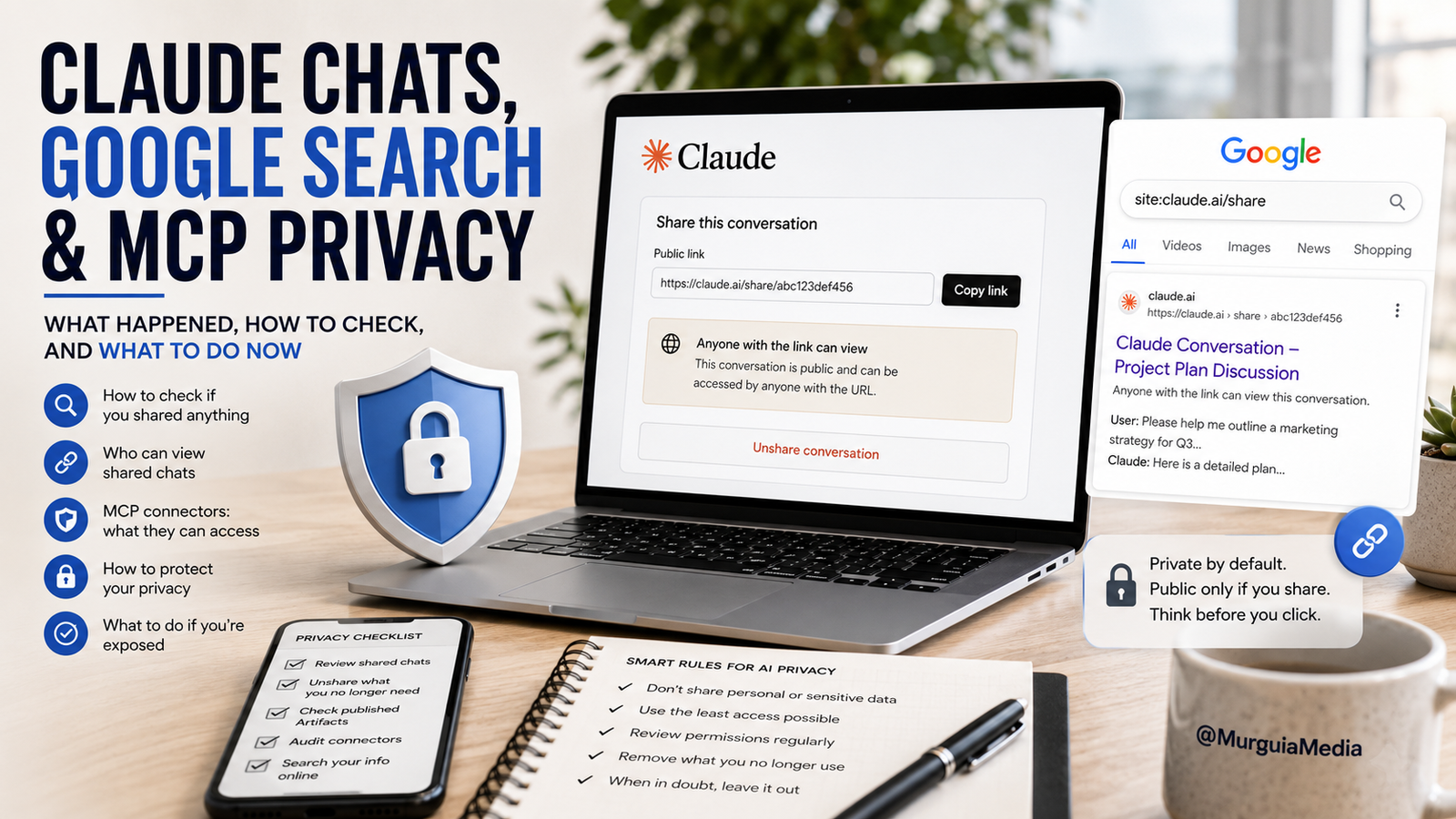
Claude Chats, Google Search and MCP Security: What Happened, How to Check Your Account, and What to Do If You Were Exposed
Reports that Claude conversations were appearing in Google Search caused understandable panic. The alarming versions of the story made it sound as though Anthropic had exposed private chats without users’ permission.
That is not what the available evidence shows.
The issue involved conversations and Artifacts that users had deliberately turned into public share links. Those pages could then be viewed by anyone with the link—and in some cases, public pages were discovered by Google and surfaced in search results. There is currently no evidence that ordinary private Claude conversations were hacked or automatically published.
That distinction matters, but it does not erase the privacy concern.
Many users reasonably believed that “anyone with the link” meant something closer to an unlisted document: public only to people who had been given the exact URL. They may not have realized that a publicly accessible page could potentially be crawled, indexed, copied or archived.
This article explains what happened, when the issue was reported, who can see shared information, how to check whether you have shared anything, what MCP connectors can access, how to search for exposed information and what to do immediately if you find it.
What Was Reported—and When?
The concern became widely visible over the weekend of July 25–26, 2026, after users on Reddit and other social platforms reported finding Claude share pages and published Artifacts in Google Search.
On July 27, 2026, VentureBeat reported that it had independently verified that some Claude Artifacts it had not been directly sent were searchable and publicly accessible through Google. The publication said it was not able to access ordinary private chats and emphasized that the affected material appeared to involve content users had explicitly made shareable or public.
The discovery did not show that attackers had broken into Claude accounts.
Instead, it highlighted a difference between what users may expect and how the open web works:
A link can be difficult to guess and still be public.
Search engines do not normally guess long, random URLs. They discover pages when links appear somewhere they can crawl, such as public websites, social media posts, forums, shared directories or other indexed pages.
Once a public share URL becomes discoverable, a search engine may index it unless the publisher blocks indexing or removes the page.
Were Private Claude Chats Exposed?
Based on the evidence currently available, ordinary Claude chats remained private by default.
Anthropic’s official guidance says a public snapshot is created only when a user takes a separate sharing action:
- Open a Claude conversation.
- Click Share in the upper-right corner.
- Click Share again in the pop-up.
- Claude creates a link to the conversation snapshot.
Pressing Enter, Send, Go or the arrow after typing a normal message does not publish the conversation.
The shared snapshot includes every message sent before the conversation was shared, including any Artifacts already present. Messages added later remain private unless the user unshares and shares the conversation again.
For Team and Enterprise accounts, Anthropic says shared chats are restricted to members of the organization rather than publicly available to the entire internet.
Who Can View a Shared Claude Chat?
For a public share link created from a Free, Pro or Max account:
- Anyone with the URL can open the snapshot.
- They generally do not need access to your personal Claude account.
- They can view the conversation and Claude’s visible responses.
- They can view Artifacts included in the snapshot.
- They cannot automatically continue the conversation as you.
- They do not receive access to your other private Claude chats.
The critical point is that “anyone with the link” is broader than “only the person I sent it to.”
Someone who receives the link could:
- Forward it
- Post it publicly
- Add it to a website
- Share it in a forum
- Screenshot it
- Copy the text
- Place it somewhere a search engine can discover
Once that happens, the audience can extend far beyond the original recipient.
How Do You Know Whether You Are Sharing?
You are not sharing merely because you are chatting with Claude.
You have created a public chat link only when you deliberately use the Share function and confirm the action.
Signs that a conversation may be public include:
- The Share menu says Public
- Claude has generated a URL containing
/share/ - The menu offers Unshare
- The conversation appears in your Shared chats management list
If you have only typed messages and pressed Send, you have not performed the public-sharing action.
How to Check Every Claude Chat You Have Shared
Do not depend on memory. Claude provides a central list.
Step 1: Open Claude
Sign in to the same account you normally use.
Step 2: Open Settings
Click your account or profile area and select Settings.
Step 3: Select Privacy
Open the Privacy section.
Step 4: Find Shared Chats
Look for Shared chats and click Manage.
Step 5: Review the List
Claude will display:
- The conversation title
- The date it was shared
- The public link
- An option to unshare it
If you have never shared anything, Claude says the page will display:
No shared content found
Step 6: Unshare Anything You Do Not Want Public
Click Unshare beside the conversation.
You can also open the conversation, return to the Share menu and change the visibility from Public to Private. That disables the Claude share link.
Check Your Claude Artifacts Separately
Artifacts can include:
- Documents
- Dashboards
- Apps
- Calculators
- Websites
- Interactive tools
- Reports
- Visualizations
- Business materials
A published Artifact may exist independently of a shared chat.
Review every Artifact you created and look for its publication status. If the interface offers Unpublish, it is likely currently published. If it offers Publish, it has not yet been published.
Examine published Artifacts for:
- Names
- Email addresses
- Phone numbers
- Customer details
- Financial projections
- Internal plans
- Private addresses
- Medical information
- Unreleased business information
- Passwords or access credentials
- API keys
Even when the Artifact itself looks professional and harmless, a table, data field, footer or sample record can reveal sensitive information.
What About Attached Files?
Anthropic says an attached file itself is not included in the public snapshot when a chat is shared.
However, the conversation and Claude’s responses are visible.
That means the file may remain private while information extracted from it is still exposed in Claude’s written answer.
For example, imagine you upload a private contract and ask Claude to summarize it. The contract file itself may not be downloadable from the shared page, but Claude’s answer could repeat:
- The names of the parties
- Payment amounts
- Addresses
- Contract dates
- Confidential provisions
- Dispute details
You must therefore inspect the visible conversation, not just the attachment.
Are MCP Connectors Safe?
MCP stands for Model Context Protocol. It allows Claude to connect with external tools, accounts and data sources.
An MCP connector might allow Claude to:
- Search files
- Read email
- Access a database
- Review project-management records
- Call an external API
- Create or edit information
- Send content
- Perform actions in another service
MCP does not automatically publish your conversation or connected data to Google.
However, MCP introduces a different category of risk: permission and access risk.
Anthropic warns that custom connectors may connect Claude to services that Anthropic has not verified. Once connected, Claude may be able to access and potentially modify information according to the permissions you granted.
What Happens If You Share a Chat That Used MCP?
Anthropic says the raw data returned by MCP tool calls remains hidden from the shared snapshot.
Only the visible conversation and Claude’s final output are shown to viewers.
That is helpful, but it does not eliminate the danger.
Claude may have already repeated sensitive information from the connector in its final response.
For example:
- The raw email inbox remains hidden.
- But Claude may write the customer’s email address in its answer.
Or:
- The raw database query remains hidden.
- But Claude may summarize private sales figures in the chat.
Therefore, before sharing any conversation that used MCP, review every visible word Claude produced.
How to Review MCP Security
Open your Claude connector settings and inspect every connected service.
Depending on your account and interface, the section may appear under:
- Settings
- Connectors
- Customize
- Integrations
For each connector, ask:
- Do I recognize the developer?
- Did I obtain the connector from a trustworthy source?
- What can it read?
- What can it change?
- Can it send or publish anything?
- Does it have access to my entire account or only one folder?
- Am I still using it?
- Would I trust this connector with sensitive business information?
Remove anything you do not use or fully trust.
Anthropic advises users to connect only to trusted MCP servers, review permission requests carefully, limit access where possible and disconnect connectors to revoke their permissions.
Also open the security settings of the third-party service itself—such as Google, Microsoft or another platform—and revoke Claude or the connector there. Removing access on both sides is safer.
The Prompt-Injection Risk
MCP can also expose an AI system to prompt injection.
Prompt injection occurs when malicious instructions are hidden inside:
- A webpage
- An email
- A document
- A database record
- An external tool response
- A connected file
Those hidden instructions may attempt to manipulate the AI into accessing or revealing data, sending information or taking an unintended action.
Anthropic says Claude has protections designed to block these attacks, but warns users to pay attention to connector inputs and outputs because the risk is not zero.
Never blindly approve a request to:
- Send an email
- Publish a post
- Upload a file
- Delete content
- Modify customer records
- Share data with another service
- Grant broader permissions
- Reveal account credentials
How to Keep Your Claude Chats and Information Private
Do not use Share unless you truly need it
Copy only the portion of text you want someone to see rather than sharing the entire conversation.
Start a clean chat before sharing
If you need a public version, begin a new conversation containing only information intended for publication.
Redact personal details
Replace:
- Names with Customer A
- Emails with
[email removed] - Phone numbers with
[number removed] - Addresses with
[address removed] - Account numbers with only the final four digits, when necessary
Do not paste credentials
Never give an AI:
- Passwords
- Authentication codes
- API keys
- Private access tokens
- Full credit-card numbers
- Social Security numbers
- Bank login information
Use the smallest connector permissions possible
Prefer:
- Read-only access
- One folder instead of an entire drive
- One calendar rather than all calendars
- One project rather than the complete workspace
- Temporary access rather than permanent access
Review privacy settings regularly
Perform a monthly or quarterly audit of:
- Shared chats
- Published Artifacts
- Connectors
- Third-party authorizations
- Files uploaded to AI platforms
Keep a human approval step
Do not allow an AI to automatically publish, send, delete or modify sensitive information without reviewing the action first.
How to Check Whether Your Claude Information Is on Google
Start with your Claude account because it is the most reliable record of what you deliberately shared.
Then conduct targeted Google searches.
Search for Claude share links
Try:
site:claude.ai/share
That may show indexed share pages generally.
To narrow the search, add a phrase you remember from the conversation:
site:claude.ai/share "your exact phrase"
You can also search for:
site:claude.ai/share "your name"
site:claude.ai/share "your business name"
site:claude.ai/share "your email address"
Use quotation marks for exact phrases.
Search for Claude Artifacts
Search for identifying phrases that appeared in the Artifact, along with terms such as:
site:claude.ai "your project name"
site:claude.ai "your business name"
site:claude.ai "unique sentence from the artifact"
Search engines do not index every public page, so a missing result does not prove the link was never public.
Use Google’s “Results About You”
Google provides a tool called Results About You for monitoring personal contact information appearing in Search.
It can help locate results containing information such as:
- Your home address
- Phone number
- Email address
- Certain government identification numbers
- Banking or credit-card information
You can also request removals and set alerts for new results.
In Google:
- Sign in to your Google account.
- Open Results About You.
- Enter the information you want Google to monitor.
- Review matching results.
- Request removal where eligible.
- Turn on notifications for future matches.
Other Places to Check
Search other engines as well, because removing something from Google does not remove it everywhere.
Check:
- Bing
- DuckDuckGo
- Brave Search
- Yahoo
Search exact names, usernames, email addresses, unique phrases and project titles.
For exposed email addresses, you can also use a reputable breach-notification service such as Have I Been Pwned to check whether an email address appears in known data breaches. This does not search Claude pages, but it can alert you to other forms of exposure.
What to Do If You Find an Exposed Claude Chat
1. Unshare it immediately
Go to:
Claude → Settings → Privacy → Shared chats → Manage → Unshare
Or open the conversation and change it from Public to Private.
2. Unpublish the Artifact
Open the Artifact and choose Unpublish if available.
3. Save evidence
Before removal, take screenshots and record:
- The public URL
- The Google result
- The date
- The search terms used
- The information exposed
This can help if you need to report the incident, notify a customer or make a legal or security claim.
4. Ask Google to remove the result
Google allows users to request removal of certain private information from Search. It can remove qualifying results containing addresses, phone numbers, emails, confidential IDs, financial data, medical records or login credentials.
Remember: Google can remove the result from Search, but it does not control the page hosted by Claude. The source page must also be disabled.
5. Request an outdated-content refresh
After unsharing the page, Google may continue displaying an old title or snippet temporarily.
Use Google’s outdated-content update process to ask it to refresh the result after the source page has changed or disappeared.
6. Rotate exposed credentials
Immediately change any exposed:
- Password
- API key
- Token
- Recovery code
- Access credential
Do not merely delete the page. Assume the credential may already have been copied.
7. Contact affected people
If the conversation exposed customer, employee or family information, notify the affected person promptly.
Explain:
- What was exposed
- How long it may have been public
- What you removed
- Whether credentials or financial data were involved
- What protective steps they should take
8. Review legal obligations
Businesses may have legal notification duties when customer or employee information is exposed.
The requirements depend on the type of information, the people affected and the jurisdictions involved. Consult a qualified privacy or legal professional for serious incidents.
9. Disconnect unnecessary MCP tools
Remove the connector from Claude and revoke its access through the third-party account.
10. Monitor for reposts
Search again over the following days and weeks. Someone may have copied the content to another site before the original page was removed.
What Google Removal Can and Cannot Do
Google removal reduces visibility, but it does not erase the internet.
Google can potentially remove a qualifying result from its search pages. It cannot automatically:
- Delete the Claude page
- Delete copies on other websites
- Remove screenshots
- Remove cached copies from every service
- Prevent someone who already saved the information from using it
That is why you must remove the source, request search removal and address any exposed credentials separately.
Privacy Rules for Every AI Platform
This lesson does not apply only to Claude.
It applies to ChatGPT, Gemini, Copilot, Perplexity and every system that can store chats, create public links or connect to outside services.
The safest general rule is:
Do not put anything into AI that you would be devastated to see on the front page of Google.
That does not mean AI platforms are automatically publishing your information.
It means no digital system should be treated as the only place you store your most sensitive secrets.
Use AI boldly—but give it only the information needed for the task.
Remove identities where possible.
Review every link before sharing.
Audit connectors.
Revoke old permissions.
And never allow convenience to replace judgment.
Final Takeaway
Claude’s ordinary conversations are private by default. The current controversy involved chats and Artifacts that users had intentionally made shareable or public.
But the story exposed a real weakness in how people interpret public links.
“Anyone with the link” may eventually include strangers, search engines and archives.
The most important steps are simple:
- Check Settings → Privacy → Shared chats → Manage
- Unshare anything unnecessary
- Review published Artifacts
- Audit MCP permissions
- Search Google for identifying phrases and Claude share URLs
- Use Google’s Results About You and removal tools
- Change any exposed credentials immediately
- Never share information you could not tolerate becoming public
AI can accelerate your work. Privacy should never be placed on autopilot.