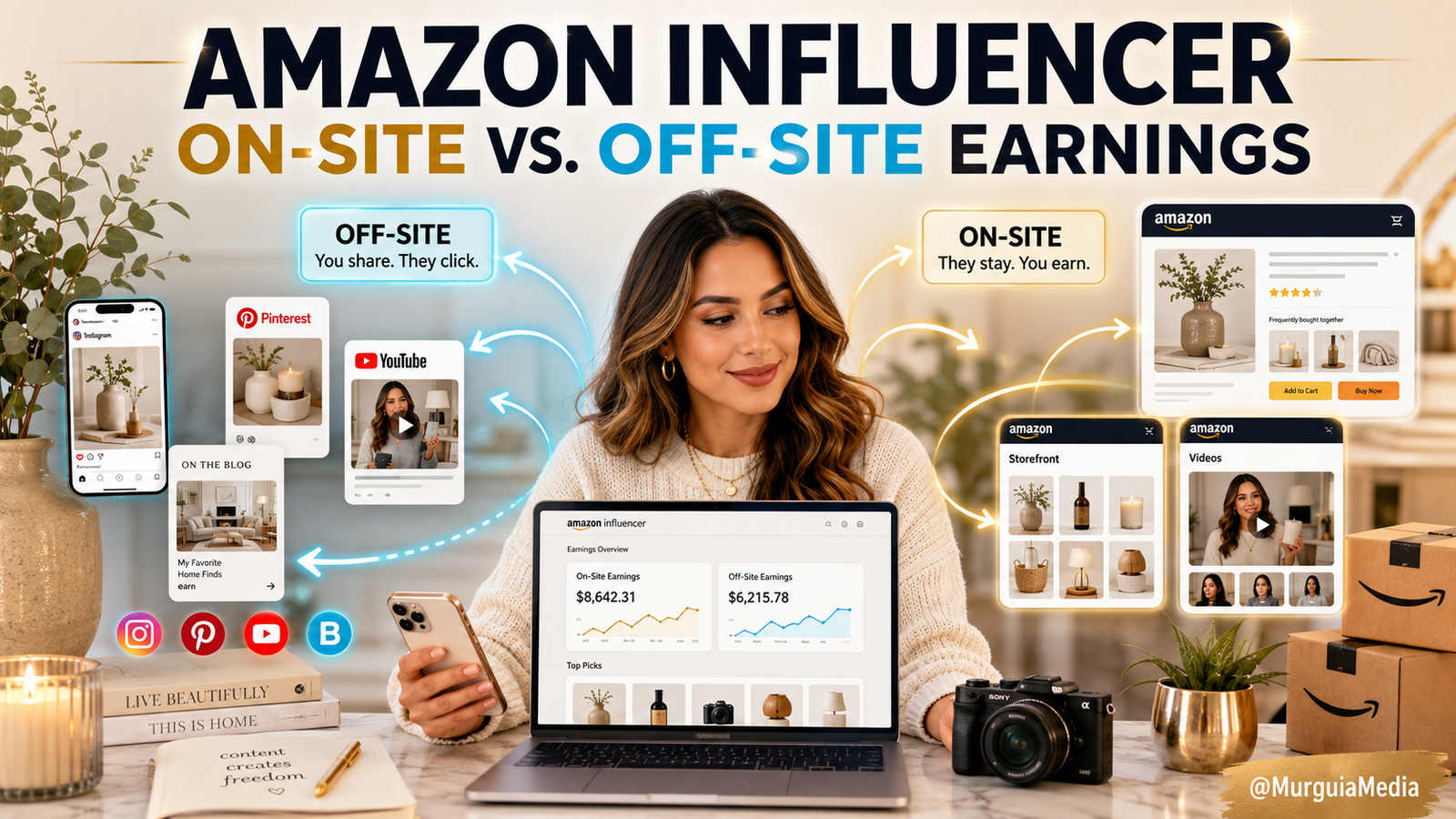
The Amazon Money You’re Probably Already Leaving on the Table
Okay, real talk. I’ve been doing this online business thing for over 25 years, and I still get surprised sometimes. This is one of those times.
I logged into my Amazon Associates account not too long ago and found something I didn’t even know I had — a separate Store ID I’d never used, just sitting there. And inside it? A small pending commission from 2023. About $3.60.
Now, $3.60 isn’t going to pay anybody’s mortgage. That’s not the point. The point is the system had already worked for me without me even trying. I wasn’t posting links, I wasn’t pushing anyone toward it — it just… happened. And that took me straight back to when I was selling Halloween and Christmas décor on OfferUp, sending some of those buyers over to my Amazon storefront. Somewhere in there, somebody bought something, and Amazon quietly tracked it.
So let’s talk about it, because I think a lot of you are sitting on the same thing and don’t know it.
There Are Two Ways Amazon Pays You, Not Just One
Most of us learned Amazon affiliate income the same way: you drop a link, someone clicks it, they buy the thing, you get a cut. That’s off-site earning. You bring the customer to Amazon. Simple, and it still works.
But there’s a second side most creators never touch: on-site earning. This one flips the whole thing around — instead of you sending the shopper to Amazon, the shopper is already there, browsing, deciding. And if Amazon decides to show your video or photo to them while they’re on that product page, and it helps lead to a sale, you can get paid for that too.
Here’s how I keep it straight in my head:
Off-site — you bring the customer to Amazon. On-site — Amazon brings your content to the customer.
Two completely different sources of the same kind of income.
There’s Actually a Third Lane Too
Here’s something I only just connected the dots on myself. If you’ve been uploading review videos to your Amazon storefront and not posting them anywhere else — you’re leaving a third income lane on the table.
Amazon lets you promote your other platforms from inside your storefront videos, Pinterest included. And Pinterest has actually built a direct bridge for this — you can connect your Amazon Influencer storefront right to your Pinterest profile, so your product recommendations show up there with the affiliate link already attached. No extra link-building on your end.
The one rule to know: Amazon doesn’t want you uploading the same video twice to your own storefront, and you can’t use Amazon’s own product-page media as your content. But taking a video you made and sharing it on Pinterest is a completely different thing — that’s just you putting your own content to work twice.
So really, there are three lanes running at once now:
- Off-site — you send people to Amazon.
- On-site — Amazon shows your content to people already there.
- Cross-posting — the same review video you uploaded to your storefront, now also working for you on Pinterest, pulling its own separate traffic back to that storefront.
One video. Three jobs. That’s the kind of leverage I actually get excited about.
What’s This “onamz” Thing?
If you’re already in the Amazon Influencer Program, Amazon automatically hands you a second Store ID for on-site activity, and it usually starts with onamz. It’s separate from your regular ID on purpose — one tracks the traffic you send, the other tracks what Amazon itself decides to feature.
Go check for yourself:
- Log into Amazon Associates Central.
- Look at the top right for the Store ID dropdown.
- Click it open and look for anything starting with
onamz. - Select it, then pull up your earnings.
- Compare it to your regular Store ID.
You might find money you forgot about. You might find nothing yet. Either way, now you know it exists.
One thing I want to flag because it tripped me up: Amazon does not carry your tax and payment info over from your main account to this one. You have to fill it out again for the onamz ID specifically, or that money just sits there with nowhere to go.
A Small Commission Doesn’t Tell You Much on Its Own
I want to be honest with you about the $3.60 thing, because I don’t want anyone doing math that isn’t there. That number alone doesn’t tell you how many things sold, or what. It could’ve been one $120 item at a 3% rate. It could’ve been a handful of smaller things. Commission rates shift by category, so the only way to actually know is to open the report and look at what shipped.
Amazon Decides If Your Content Gets Shown — So Make It Worth Showing
Uploading a video to your storefront doesn’t guarantee Amazon puts it in front of anybody. Amazon picks and chooses. So the goal isn’t volume for the sake of volume — it’s making content that actually answers a question a shopper has, like:
- What does this really look like, not just in the listing photos?
- Is it a pain to put together?
- Does the color match what’s shown online?
- How does it actually fit in a room?
- Is it worth what they’re charging?
Amazon already has the listing. What they don’t have is you, explaining it like a person.
You Don’t Need a Studio — You Need What’s Already Around You
This is the part I want you to actually hear: you probably already have content sitting around your house. Look at your bedding, your lamps, your organizers, your beauty products, your hair tools, your tripod, your ring light. You don’t need to buy ten new things to start. You need to talk about what you already use and actually understand.
And if you’re running more than one brand like I am, this gets even better, because it stacks. Home and furniture content, beauty content, creator-tool content — it’s all fair game under the same umbrella, as long as what you’re posting is genuinely useful and not just noise.
Two Tools That Make This Easy From Your Phone
I know most of you, like me, are running your whole business from your phone. Good news — Amazon built for that:
Mobile GetLink, inside the regular Amazon Shopping app. You find a product, tap the Share button, tap “Copy Associates Link,” pick your Store ID, done. No sitting at a desktop.
SiteStripe, if you are on a computer — a toolbar that shows up across the top of Amazon pages once you’re logged into your Associates account, letting you grab a link without leaving the page.
One thing to watch — when Mobile GetLink asks which Store ID to use, don’t automatically grab the onamz one out of habit. That ID is for content Amazon features on its own. For the links you’re personally sharing on your platforms, stick with your regular ID.
On-Site Doesn’t Replace What You’re Already Doing
Don’t fall into the trap of thinking, “well now I don’t need to post links anymore.” That’s not how this works. You still want both going at once — you sending traffic out, and Amazon potentially surfacing your content to people already there. One doesn’t cancel out the other. They just stack.
A Simple Way to Actually Start This Week
I don’t want this to turn into another thing on your to-do list that never gets touched. Here’s how I’d break it down:
- Confirm you actually have both Store IDs, and that your tax and payment info is filled out on both.
- Go look at old reports under each ID — see what’s already shipped, what’s pending.
- Pick ten products you already own and actually understand.
- Make simple videos that each answer one clear question about the product.
- Upload them to your storefront, tagged to the exact item — not something that just looks similar.
- Use those same videos across your blog, Pinterest, Instagram, wherever you already post.
- Check your reports weekly and lean into whatever’s actually getting attention.
The Disclosure Part Isn’t Optional
I have to say this plainly because it matters: if you’re using affiliate links, you have to disclose it. On your site, Amazon requires the line “As an Amazon Associate I earn from qualifying purchases” to be clear and visible. On individual posts, something like #ad or #CommissionsEarned near the link. Don’t bury it. It doesn’t make your recommendation weaker — it makes it trustworthy.
And don’t buy through your own links to generate commissions for yourself. That’s against Amazon’s rules, and it’s not the point anyway. You recommend things because they’re actually useful, not to game a system.
A Couple More Lanes Worth Knowing About
Beyond the three I just walked through, there’s also Idea Lists — curated product collections you can share, running on the same commission structure as your storefront. And once you’ve got 10 approved videos live and you’ve signed up for onsite commissions, Amazon can start showing your videos on the actual product detail pages for the items you feature — not just on your own storefront. More real estate, same video.
Where I Land On This
This isn’t a get-rich-quick thing, and I’m not going to sell it to you like one. A video might earn nothing. Amazon might never pick it up for on-site placement. But if you build a real library over time — real product videos, real Idea Lists, real seasonal content — you stop depending on one lucky post and start building something that keeps working in the background, whether you’re actively posting that day or not.
So here’s the only question that actually matters:
What do you already own and understand well enough to help someone else buy it with confidence?
That’s where you start. Not with a new studio, not with a new persona — with what’s already sitting in your house and your head.
Go check your account. Look for that onamz Store ID. Fill out the payment info. See what’s been quietly happening without you.